
For lawn care professionals, local visibility is everything. When homeowners search for services like lawn mowing, fertilization, or landscaping in their area, the businesses that appear in the top results are usually the ones getting the calls.
That’s why creating a Google Business Profile is one of the most important marketing steps a lawn care business can take. Your profile helps your company appear in Google Search and Google Maps when people are looking for services nearby.
The good news is that setting up a Google Business Profile is free and relatively straightforward. Below is a step-by-step guide to creating a listing specifically for your lawn care business so you can start attracting more local customers.
1. Create a Google Account for Your Business
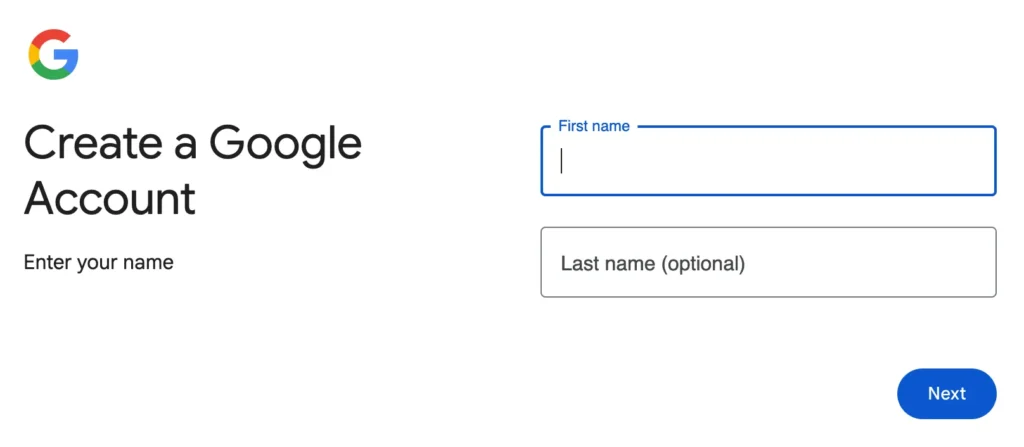
Before you can create your business listing, you’ll need a Google account. This account will be used to manage your Google Business Profile and any future updates you make to it.
You can create one by visiting accounts.google.com and selecting “Create an account.” Many business owners choose to create a dedicated Gmail address for their company, but you can also use an existing email address if you prefer. Using a business-specific account helps keep your marketing tools organized and allows you to share access with employees or marketing partners later if needed.
2. Visit the Google Business Profile Setup Page
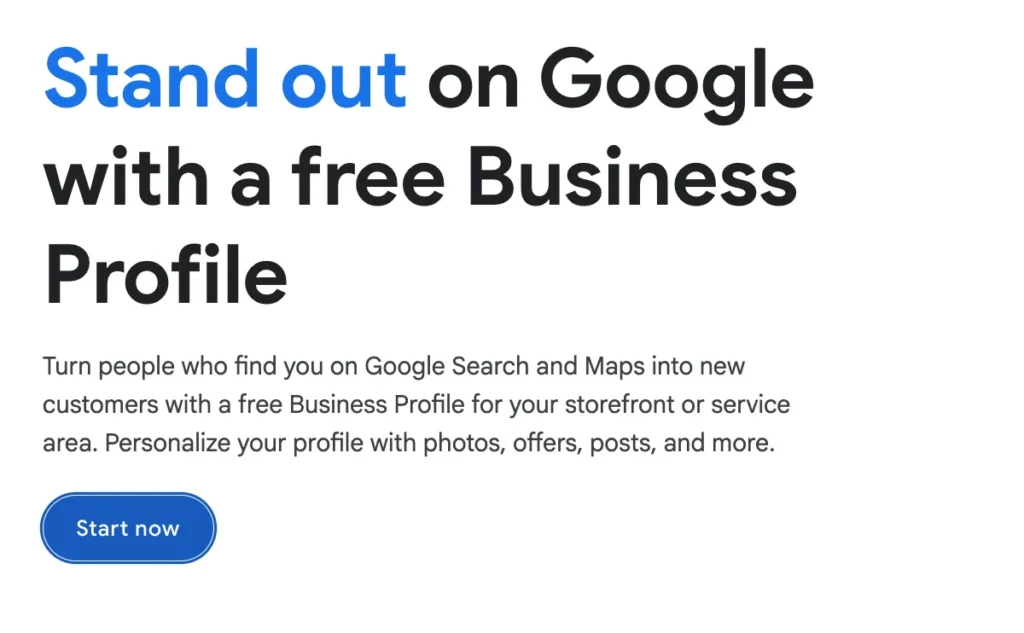
Once your Google account is ready, go to google.com/business and click “Manage Now.” This will take you to the main setup gateway where you can begin creating your business profile.
Google will guide you through a series of prompts to gather information about your company. Each step helps Google understand what your business does and where it operates so it can show your listing in relevant local searches.
3. Search for Your Business Name
Start by typing your business name to see if a profile already exists. In some cases, Google automatically creates listings based on public data or customer suggestions.
If your lawn care company already appears, you can request access to claim the listing. If it does not appear, simply select the option to add your business to Google.
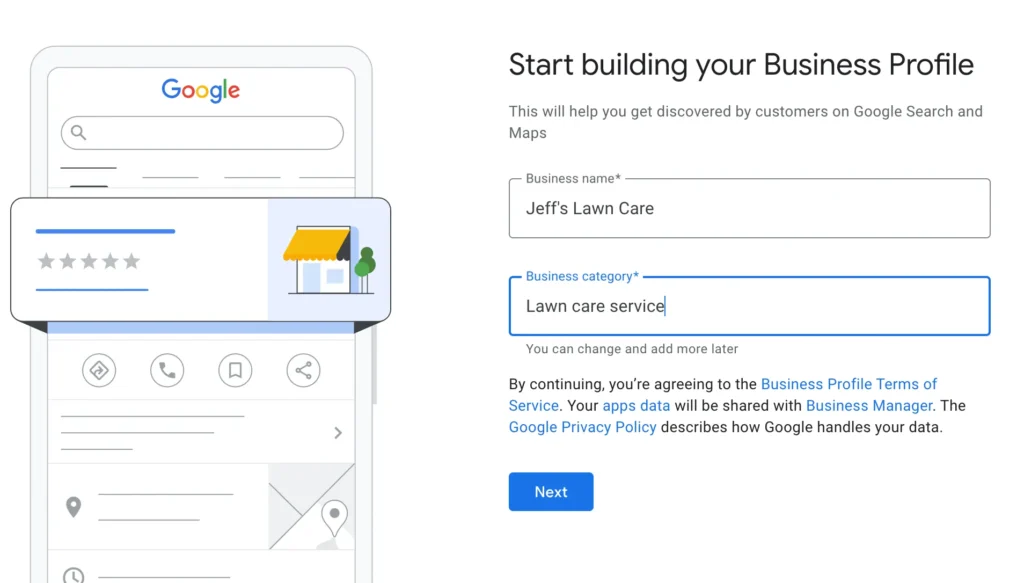
When entering your business name, make sure it exactly matches your official business name. Avoid adding extra keywords such as “best lawn mowing service” or city names, as this goes against Google’s guidelines and could cause problems with your listing later.
4. Choose Your Business Type
Google will next ask how your business serves customers. Most lawn care companies operate as service area businesses, meaning they travel to customers’ homes instead of serving customers at a storefront.
Selecting the service business option tells Google that you provide services at customer locations. You’ll then be prompted to list the areas you serve. This might include nearby cities, towns, or ZIP codes where you regularly perform lawn care work.
Be accurate when choosing your service areas. Selecting locations that are too far away from your base can make it harder to rank locally.
5. Select Your Business Category
Your business category tells Google what type of services you provide. This is one of the most important pieces of information for helping your listing appear in the right searches.
For most companies in this industry, the primary category will be Lawn Care Service. After your profile is created, you can add additional categories if you offer other services such as landscaping, tree trimming, or snow removal.
Choosing the most accurate category helps Google connect your business with homeowners who are searching for those specific services.
6. Enter Your Business Location (If Applicable)
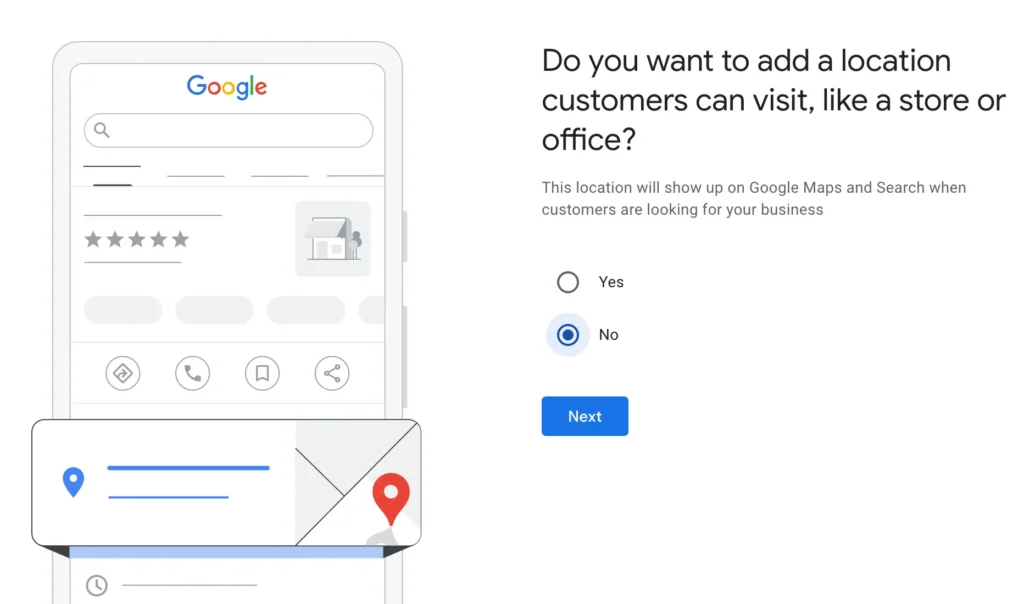
If your business has a physical office where customers can visit you, you can enter that address during this step. Google may ask you to confirm the location by placing a pin on a map.
However, many lawn care companies do not operate a public office. If customers do not visit your location, you can skip displaying your address and simply operate as a service-area business instead.
Providing accurate location information helps prevent confusion for customers and makes the verification process easier later.
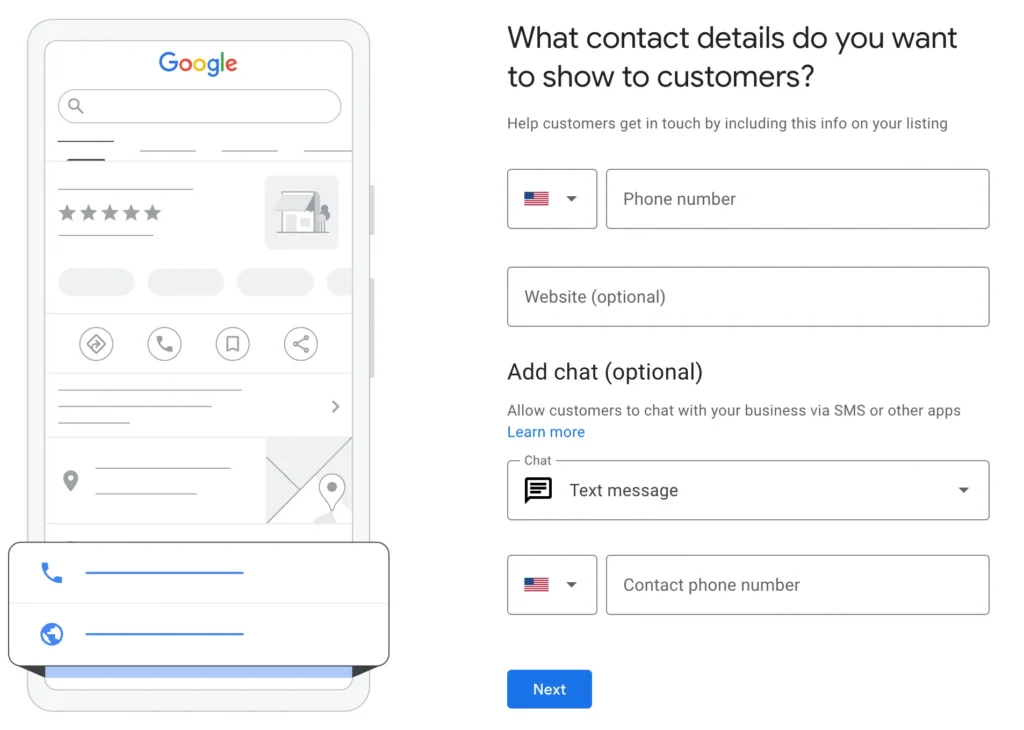
7. Add Your Contact Details
Next, you’ll enter the primary contact details for your lawn care business. This usually includes your main phone number and your website if you have one.
Your phone number is especially important because many homeowners call businesses directly from search results. Make sure the number you provide is one you monitor regularly so potential customers can reach you quickly.
If you have a website, linking it here gives customers another way to learn about your services and request quotes.
8. Add Your Lawn Care Services
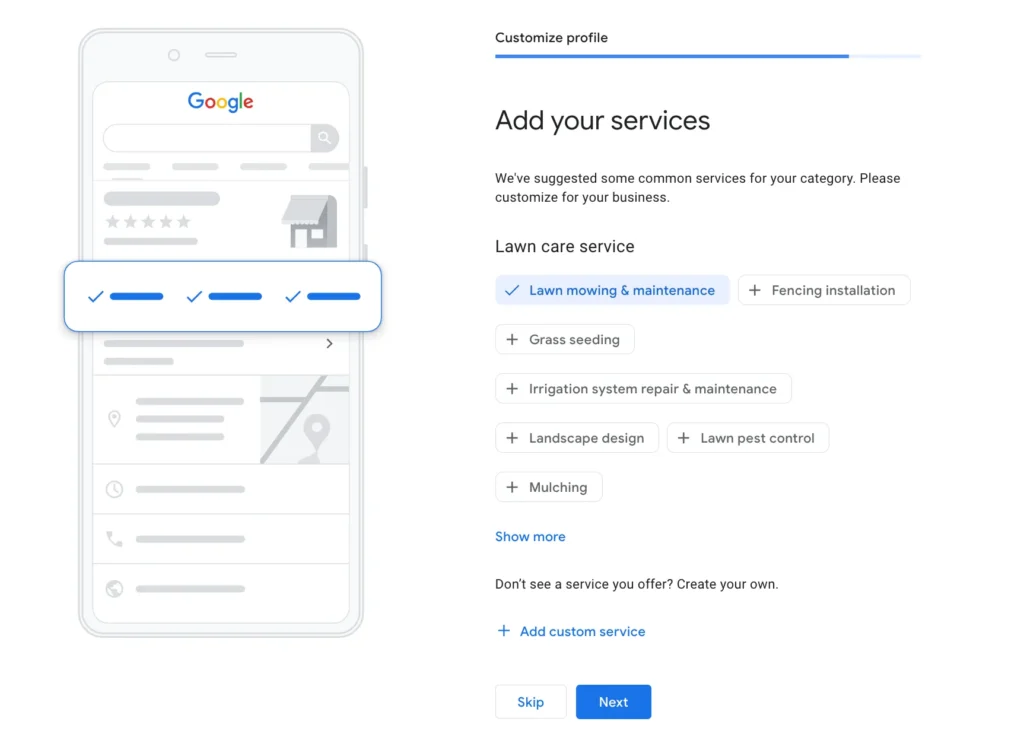
Google allows you to list the services your business offers as part of the setup process. This helps customers understand what you specialize in and can also help your business appear in more specific searches.
For lawn care companies, this might include services such as lawn mowing, fertilization, aeration, weed control, seasonal cleanups, and landscape maintenance. If a service isn’t listed in Google’s suggestions, you can add custom services that reflect what your company provides.
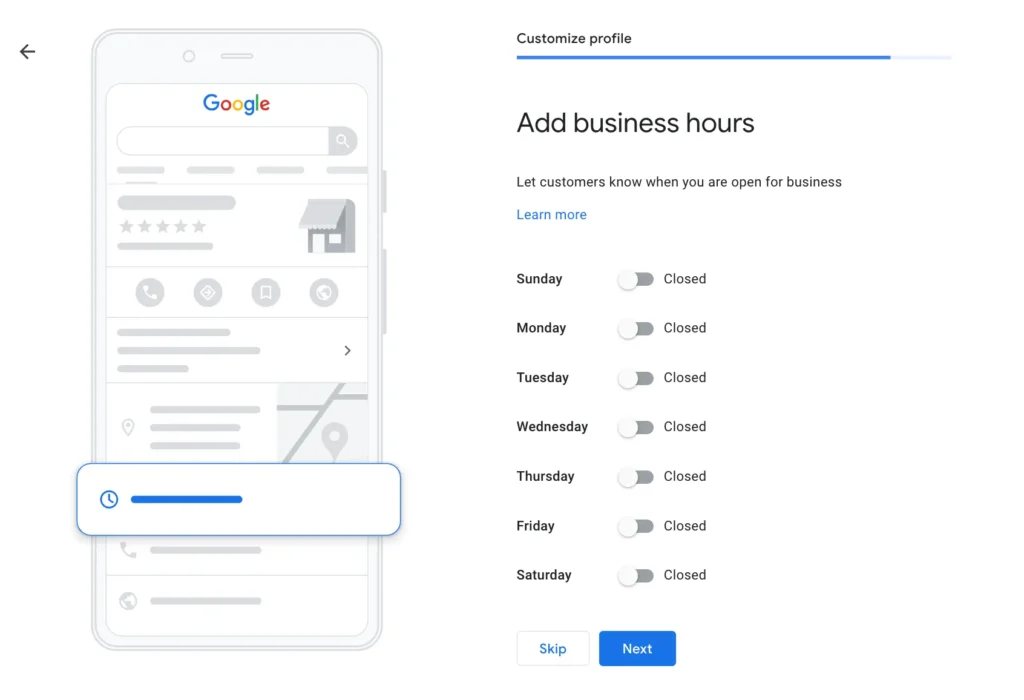
9. Add Your Business Hours
Your business hours tell customers when they can call, message, or schedule services. Many lawn care companies set hours that reflect when they answer the phone rather than the exact hours they are working in the field.
It’s important to keep these hours accurate and update them whenever your schedule changes. For example, during busy seasons you may extend hours, while holidays or bad weather could temporarily affect availability.
Accurate hours help build trust and prevent potential customers from becoming frustrated when trying to contact your business.
While you are customizing your profile, you may also notice that Google gives you the option to enable messaging through your profile using SMS or messaging apps. This allows customers to contact you directly from your listing.
While this feature can be helpful, it’s best to enable it only if you can respond quickly. Slow response times can lead to poor customer experiences and may discourage potential clients from choosing your business.
10. Add a Business Description
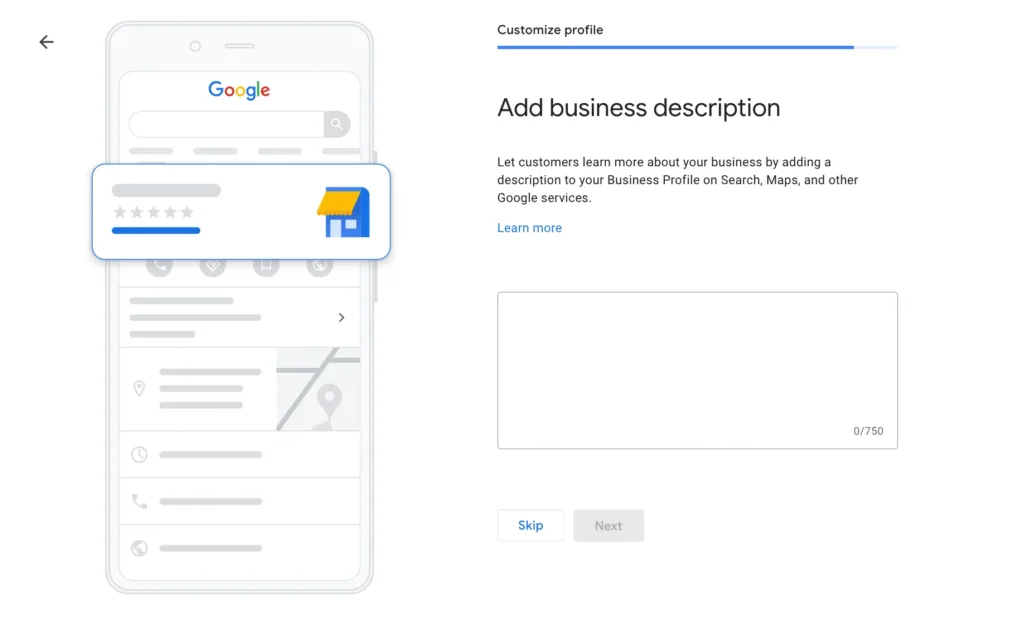
Your business description is a short section where you can explain what your lawn care company does and what makes it unique.
You have up to 750 characters to describe your services, the areas you serve, and your company’s approach to lawn care. This is a good place to highlight your experience, reliability, or commitment to high-quality work.
Keep the description clear and informative, and avoid including promotional language or website links, which are not allowed in this section.
11. Upload Photos of Your Work
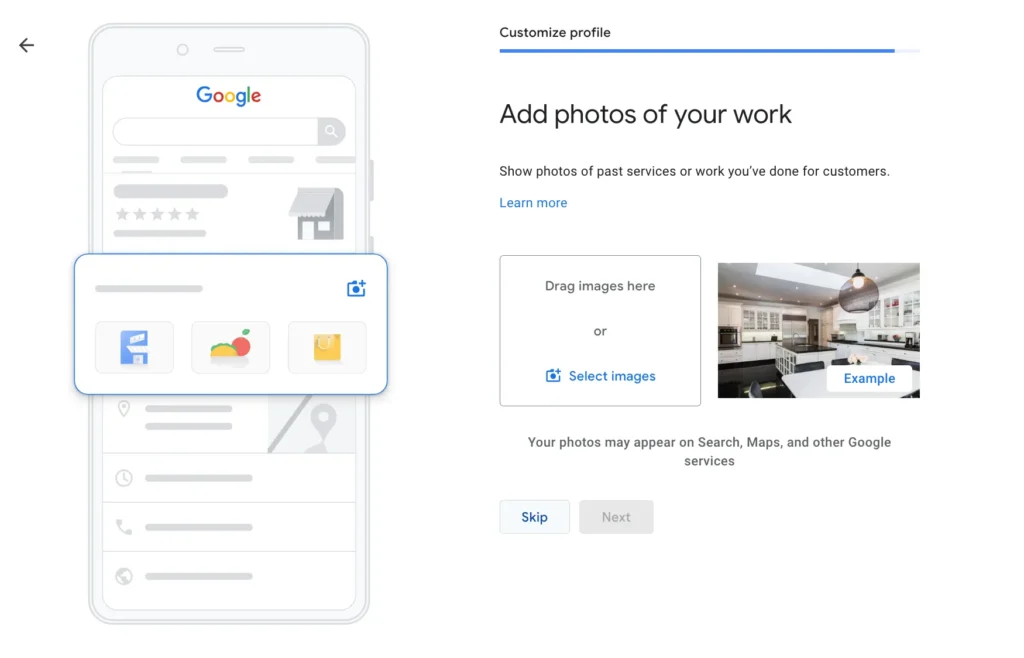
Photos can make a big difference in how your listing performs. Lawn care is a visual service, and homeowners often want to see examples of your work before contacting you.
Adding photos of freshly mowed lawns, edging work, landscaping projects, and your equipment helps build trust and shows potential customers the quality of your services. You can also upload photos of your work vehicles or team members to make your business feel more professional and approachable.
Customers may also upload their own photos when leaving reviews, so having your own images helps ensure your listing looks its best.
12. Verify Your Business
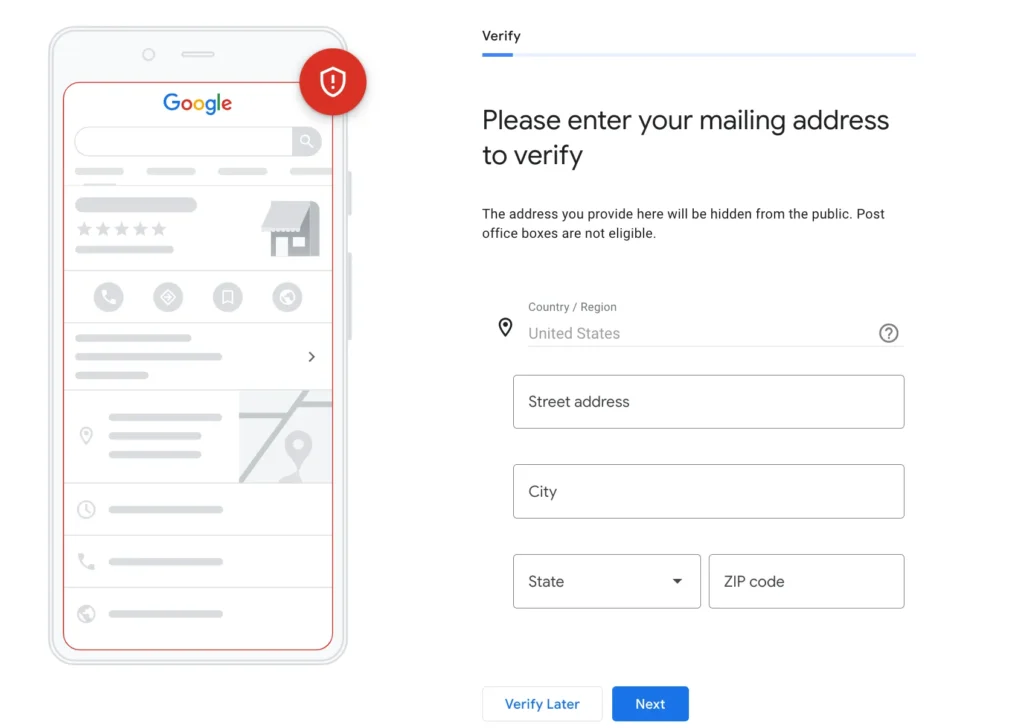
The final step is verifying your business with Google. Verification proves that your company operates in the location or service area you listed.
Google may offer several verification methods, including video verification, phone verification, email verification, or receiving a postcard with a verification code. Video verification has become one of the most common options and typically requires showing proof that your business exists, such as work equipment or a branded vehicle.
Once verification is complete, your Google Business Profile will become eligible to appear in local search results.
After Setup: Keep Your Profile Active
Creating your Google Business Profile is just the beginning. To get the most value from it, you should regularly update the listing with new photos, respond to reviews, and share occasional updates about your services.
For lawn care professionals, an active and well-maintained profile can lead to consistent visibility in local searches and a steady stream of new customers looking for reliable lawn service in their area.